
30 Free Trial Coins No Credit Card No Sleep Mode
Free Telegram bot hosting that actually stays awake 24/7.
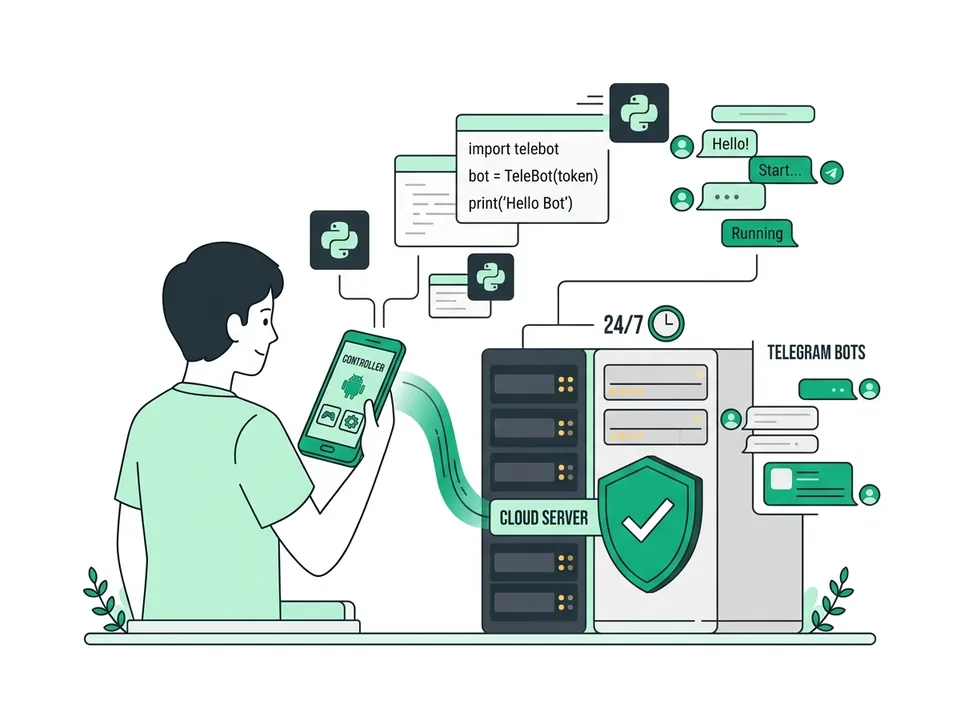
Most free cloud hosts freeze Python Telegram bots after 15 minutes of idle time or demand a credit card upfront. gravixHOST lets you deploy, probe, and manage 24/7 Python Telegram bots directly from Android with 30 free trial Coins—zero phone battery drain and zero sleep timers.
Available now on PhonePe Appstore (Indus) Google Play release coming soon
- Works with aiogram 3, PTB & telebot
- 1-tap BotFather getMe health probe
- Versioned cloud snapshot backups
2026 Hosting Benchmark
How gravixHOST compares to Render, PythonAnywhere, Railway & Termux.
General web hosting platforms are built for HTTP websites, not persistent long-polling Telegram bots. Here is a side-by-side breakdown of real operational constraints.
- Sleep / Uptime Policy
- No sleep mode (24/7 persistent)
- Card / Free Tier
- No credit card (30 free trial Coins)
- Mobile Workflow
- Native Android editor, probes & snapshots
- Sleep / Uptime Policy
- Sleeps after 15 min idle
- Card / Free Tier
- Card needed for background workers
- Mobile Workflow
- Desktop browser & Git pushes
- Sleep / Uptime Policy
- No Always-on tasks on free tier
- Card / Free Tier
- Upgrade required for 24/7 tasks
- Mobile Workflow
- Web terminal (desktop-oriented)
- Sleep / Uptime Policy
- Free forever tiers discontinued
- Card / Free Tier
- Paid plans or card verification
- Mobile Workflow
- Git CLI / desktop dashboard
- Sleep / Uptime Policy
- Scale-to-zero on idle web apps
- Card / Free Tier
- Credit card check for most accounts
- Mobile Workflow
- Docker CLI & terminal
- Sleep / Uptime Policy
- Killed by Android Doze / screen lock
- Card / Free Tier
- None (uses your phone battery)
- Mobile Workflow
- Local handset interpreter
| Platform | Sleep / Uptime | Credit Card / Free Quota | Mobile Control | Best Fit |
|---|---|---|---|---|
| gravixHOST (Android Cloud) | No sleep mode (24/7 persistent) | No credit card (30 free trial Coins) | Native Android editor, probes & snapshots | 24/7 Python Telegram bots from Android |
| Render (Free Web Service) | Sleeps after 15 min idle | Card needed for background workers | Desktop browser & Git pushes | Low-traffic HTTP websites |
| PythonAnywhere (Free) | No Always-on tasks on free tier | Upgrade required for 24/7 tasks | Web terminal (desktop-oriented) | Browser-based Python learning |
| Railway / Heroku | Free forever tiers discontinued | Paid plans or card verification | Git CLI / desktop dashboard | Funded full-stack web apps |
| Koyeb / Fly.io | Scale-to-zero on idle web apps | Credit card check for most accounts | Docker CLI & terminal | Containerized web APIs |
| Termux / Pydroid 3 (Local) | Killed by Android Doze / screen lock | None (uses your phone battery) | Local handset interpreter | Offline Python syntax practice |
3-Minute Cloud Launch
How to deploy your Python Telegram bot 24/7 for free.
You do not need a Linux server, Dockerfiles, SSH keys, or a desktop computer to keep a production Telegram bot running continuously.
Create Your Bot Token in @BotFather
Open Telegram, message @BotFather with /newbot, choose a bot username ending in bot, and copy the HTTP API token. Use our free BotFather /setcommands formatter to prepare a clean chat menu.
Install gravixHOST & Claim 30 Free Trial Coins
Download the official Android app from PhonePe Appstore (Indus). Sign in with Google or email—no credit card or debit card verification is required—and receive 30 trial Coins (40 with a referral code).
Pick a Python Template & Verify with 1-Tap Probe
Start from built-in Echo, Welcome Guard, or Inline Menu templates, paste your BotFather token, and tap Run Probe to validate getMe authentication and live round-trip latency.
Deploy 24/7 Cloud Containers & Save Snapshots
Launch your bot to managed cloud infrastructure and create a versioned cloud snapshot backup. Lock your phone or turn it off completely—your Telegram bot keeps answering users continuously.
Developer Resources
Essential tools & guides for 24/7 Telegram bots.
Free BotFather /setcommands & Python Generator
Validate Telegram command syntax and generate 409-safe boilerplate for aiogram 3, PTB v21+, and telebot.
Why Free Web Hosts Sleep Telegram Bots
Deep dive into the 15-minute idle timeout trap on general PaaS platforms and how long-polling breaks.
Render, Koyeb & PythonAnywhere Alternatives
Factual engineering breakdown of free-tier limits across major cloud hosts for Python bots.
Fix Telegram 409 Conflict & Python Crashes
Resolve getUpdates conflicts, 401 token errors, 429 rate limits, and NoneType media crashes.
Frequently Asked Questions
Free Telegram bot hosting questions answered.
Does gravixHOST really offer free Telegram bot hosting with no credit card?
Why do free web hosts like Render or PythonAnywhere break Telegram bots?
Can I host aiogram 3, python-telegram-bot (PTB), and pyTelegramBotAPI bots?
Will my Telegram bot stay online if my Android phone loses battery or internet?
How do I prevent Telegram 409 Conflict errors when migrating from another host?
Start hosting your Telegram bot 24/7 today.
Install gravixHOST from PhonePe Appstore (Indus), claim 30 free trial Coins with zero credit card entry, and keep your Python bot awake around the clock.
Available now on PhonePe Appstore (Indus) Google Play release coming soon