
Security, Permissions & FAQ

Minimal permissions. Strict workspace isolation.

gravixHOST requests only standard network permissions, avoids third-party ad trackers, and lets teams collaborate through role-based invites without exposing raw BotFather tokens.
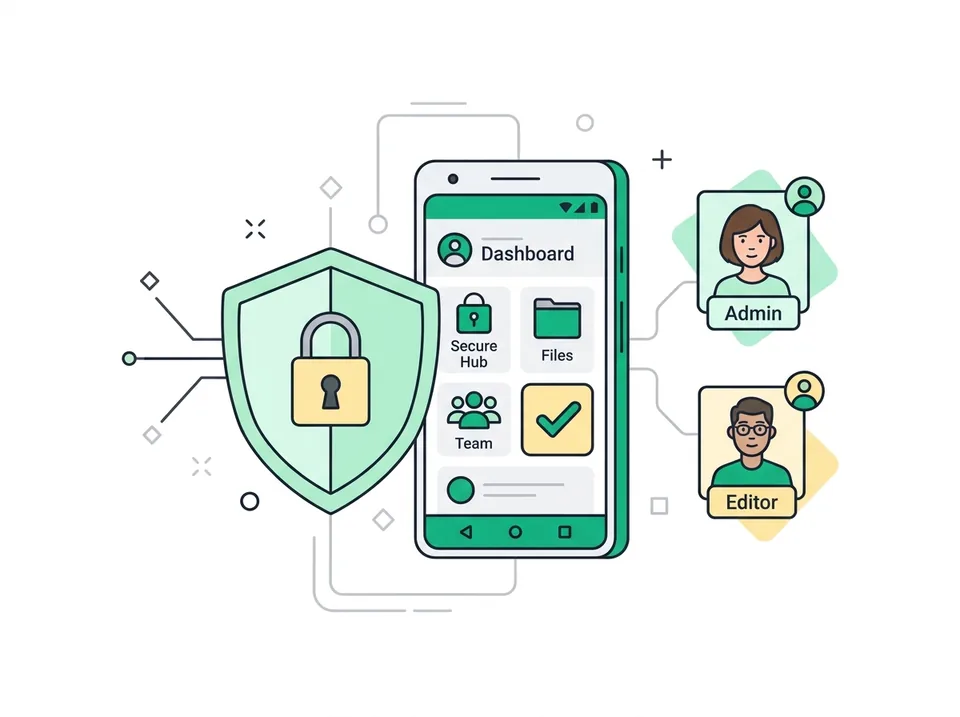
Illustration of Android security shield with role-based Admin and Editor team workspace access

Technical Specifications

App permissions and infrastructure posture.

Android Package
com.aistudio.gravixhost.vqkrmz
Platform Support
Android 7.0+
Store Distribution
PhonePe Appstore (Indus)
App Permissions
INTERNET & ACCESS_NETWORK_STATE Only
Media Access
Zero-Permission Android Photo Picker
Authentication
Google Sign-In & Email/Password
Privacy Guarantee
No Third-Party Ad Trackers
Support & Deletion
[email protected]

Role-Based Access Control

Collaborate without sharing BotFather tokens.

Owner

Full control over workspace settings, billing Coins, token rotation, member invites, and bot deletion.

Admin

Edit Python handlers, create or restore cloud snapshots, run BotFather health probes, and restart deployments.

Viewer

Read-only access to live logs, probe results, and bot status without modifying production scripts or tokens.

Frequently Asked Questions

Common questions about hosting Telegram bots on Android.

Can I get free Telegram bot hosting without sleep mode on gravixHOST?
Yes. Every new gravixHOST account starts with 30 free trial Coins (or 40 Coins with a referral code) and no credit card is required. Unlike free web hosts that freeze idle containers after 15 minutes, gravixHOST runs Python Telegram bots in persistent 24/7 cloud containers built for continuous bot traffic.
Does my Telegram bot stay online if I turn off my Android phone?
Yes. gravixHOST deploys your Python bot to managed cloud infrastructure rather than running it locally on your handset. Closing the app, locking your screen, switching off mobile data, or rebooting your phone does not interrupt your bot.
Where can I download the official gravixHOST Android app?
gravixHOST is available now on PhonePe Appstore (Indus Appstore) at indusapp.store/tz6s8v77 for Android 7.0 and higher. A Google Play Store release is in preparation, and both official store links will appear automatically on gravixhost.app once live.
How is gravixHOST different from running a bot in Termux?
Termux executes Python directly on your phone CPU, which drains battery, stops whenever Android Doze suspends background processes, and goes offline if your network drops. gravixHOST gives you a native mobile code editor, cloud snapshots, and live BotFather probes while running the bot 24/7 in the cloud.
How do I verify my BotFather token and prevent 409 Conflict errors?
Inside gravixHOST, run the built-in 1-tap BotFather health probe to verify getMe connectivity, inspect webhook status, and measure response latency before deploying. Keeping a single cloud instance active prevents duplicate getUpdates polling sessions that cause Telegram HTTP 409 Conflict crashes.
What Android permissions does gravixHOST require?
Only standard network permissions (INTERNET and ACCESS_NETWORK_STATE). Optional profile photos use Android Photo Picker with zero storage permission. The app never requests contacts, SMS, camera, microphone, or location access.
Can teammates edit or monitor a bot without sharing my BotFather token?
Yes. You can invite collaborators to a workspace using a gravixhost.app/join link and assign Owner, Admin, or Viewer roles while keeping token access governed inside the workspace.

Install gravixHOST on Android.

Minimal permissions, encrypted cloud workspaces, and 30 free trial Coins included.
Get it on PhonePe Appstore

Available now on PhonePe Appstore (Indus) Google Play release coming soon